03 · Client & Device Control

The Android client: Agent and Launcher in one APK

One APK is both the Agent — connecting to the server and enforcing configuration — and the corporate launcher that presents only the business entries you allow.

From remote actions and device restrictions to launcher control, it covers continuous Android management for real deployments.

In-app enrollmentQR provisioningConfig QRRemote actionsSystem restrictionsKiosk
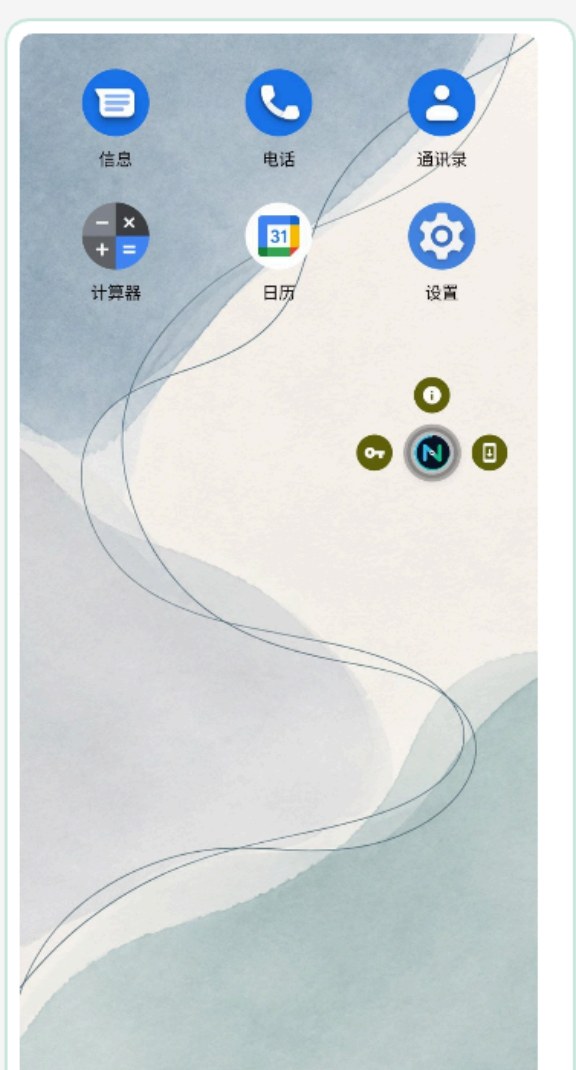
Corporate launcher with long-press shortcuts
Corporate launcher and long-press shortcuts
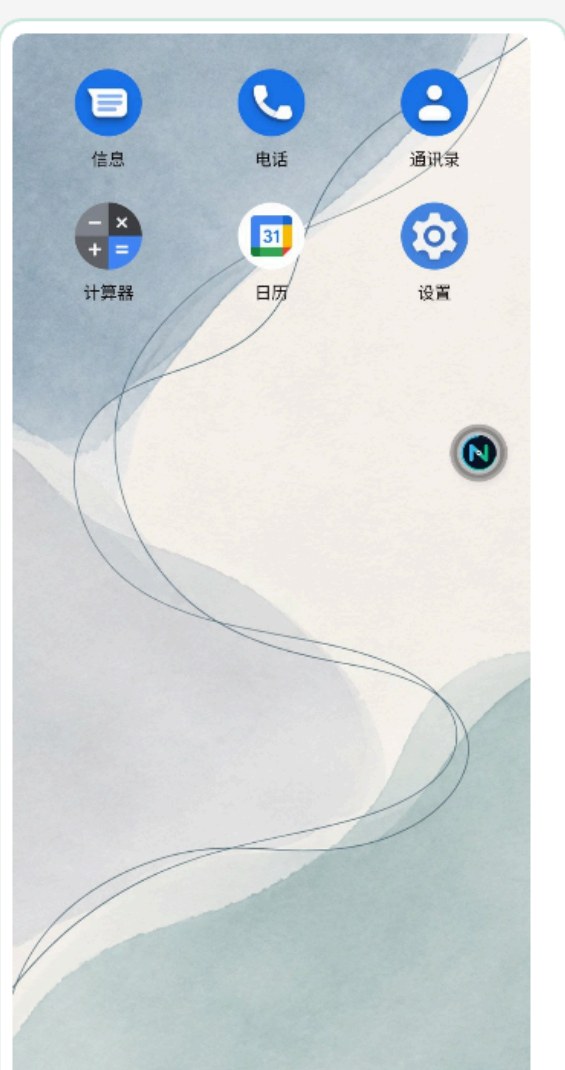
App drawer on the managed device
App drawer on the device

03 · Client & Device Control

Three enrollment paths for three site conditions

All three paths support later device replacement; a swapped device automatically inherits its configuration and policies.

In-app enrollment

A device that already runs the client enters the server address and device ID, or scans an enrollment code.

QR provisioning

A new device enters Android Enterprise QR provisioning at first boot and becomes Device Owner by scanning a code.

Configuration QR

Generate a QR code per configuration; new devices of the same kind scan once and adopt the target profile.

Long-press the launcher icon to open the three maintenance actions field staff need most: device info, credential management and lock screen.

03 · Client & Device Control

Remote actions: one command straight to the device

The console issues the command, the on-device agent executes it and reports the result — a closed loop from “action issued” to “result confirmed”.

ActionCapabilityTypical use
Remote lockLocks the screen immediately, optionally with a custom lock message; only someone holding an admin account can unlock on siteLost device, verification pending, off-shift suspension
Forced restartRestarts the device to recover the system kernel; used for maintenance and permission handoverShift handover, scheduled inspection
Remote rebootSends a reboot command to selected devices; the device executes it on receiptBatch reboot, applying updates
Factory resetWipes device data and restores factory state remotely; account binding and local data are removed togetherDevice recovery, resale, privacy disposal
Configuration refreshSkips the scheduled sync and makes target devices apply the latest configuration immediatelyUrgent policy change, rollback verification
Command channel (MQTT / HTTP long polling): commands are delivered in real time and queued while a device is offline; once it reconnects they execute automatically and report back for confirmation.

03 · Client & Device Control

Restrictions: keep the system inside the business scope

Eight groups of system-level policies, published through configuration, constrain device behaviour over time.

DomainWhat can be controlledEffect
Data channelsUSB file transfer, physical media mounting (external storage)Cuts off data movement over cable and removable media
Screen securityBlock screenshots and screen recordingBusiness screens cannot be captured and reused
System entry pointsSafe mode / safe boot, system entry pathsPrevents actions that bypass management authorisation
Display and interactionVolume, keep-screen-on, screen timeoutFixes display parameters for business devices
Wireless radiosWi-Fi, Bluetooth, GPS, mobile data togglesConstrains connectivity and data consumption
Network boundaryGlobal proxy settingsRoutes all traffic through the corporate egress
System and updatesSystem update behaviour and conditions, app update controlEnsures changes only happen in approved windows
Region and formTime zone, keyboard orientationKeeps cross-region devices in a consistent business form

03 · Client & Device Control

App and launcher control: only what the business needs ever appears

From app distribution to launcher control, you decide what is installed, what it may do and what it looks like.

CapabilityBehaviourEffect
App deliveryInstall, upgrade and remove apps automatically per configuration; APK and XAPK supported; results per deviceOnly the target app versions live on the device
Package-level lockingControl or remove specific apps by package nameApps cannot be replaced or silently disabled
Corporate launcherOneNexus Launcher replaces the system launcher: names, icons, order, wallpaper and shortcuts are all configurableThe interface is the business — no leakage to the system launcher
Kiosk modeSingle-app or multi-app kiosk locks the device to the specified business apps; restrictions can be tightened furtherThe device becomes a dedicated tool that cannot leave the business UI
Primary appDesignates the default app that starts at bootBoots straight into the business flow, no manual choice

03 · Client & Device Control

How control depth is layered

The same management intent lands with different strength depending on the permission level available.

  • Baseline — enrollment, configuration sync, corporate launcher, app distribution and removal, package restrictions, offline protection, status reporting. Covers day-to-day management.
  • Device Owner layer — silent install, device locking and remote recovery, global proxy and other advanced controls; binding as Device Owner unlocks the full permission set in one step.
  • Replacement layer — swap, reinstall, app distribution, install and file restore: a replacement device inherits the original apps and configuration, so handover or replacement never breaks continuity.

Advanced capabilities take effect once a device has completed provisioning and holds Device Owner; the OneNexus enrollment QR code binds the device and establishes that identity in a single scan.

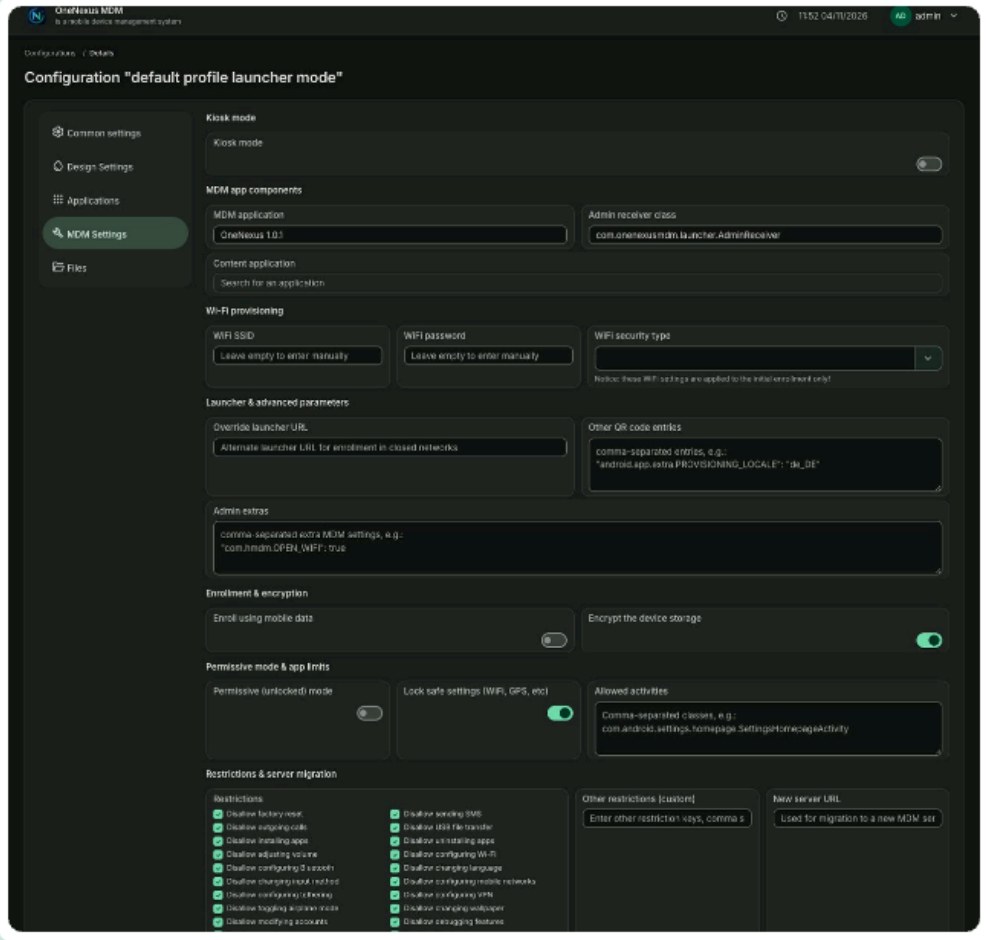
MDM settings tab (live product)
Fig. 9 · MDM settings tab (live product): kiosk mode, device unlock, primary app and lock screen parameters

One unbroken control chain, from enrollment to launcher

Three enrollment paths cover every site condition; eight restriction groups and launcher control keep devices inside the business scope.

Business enquiries: bd@ihuatek.com