02 · Console

The console: where administrators actually work

Overview dashboard, device inventory, app centre, configuration centre, file centre and user permissions — all in one interface.

DashboardInventoryAppsConfigurationsFilesPermissions
Overview dashboard

Console · Summary

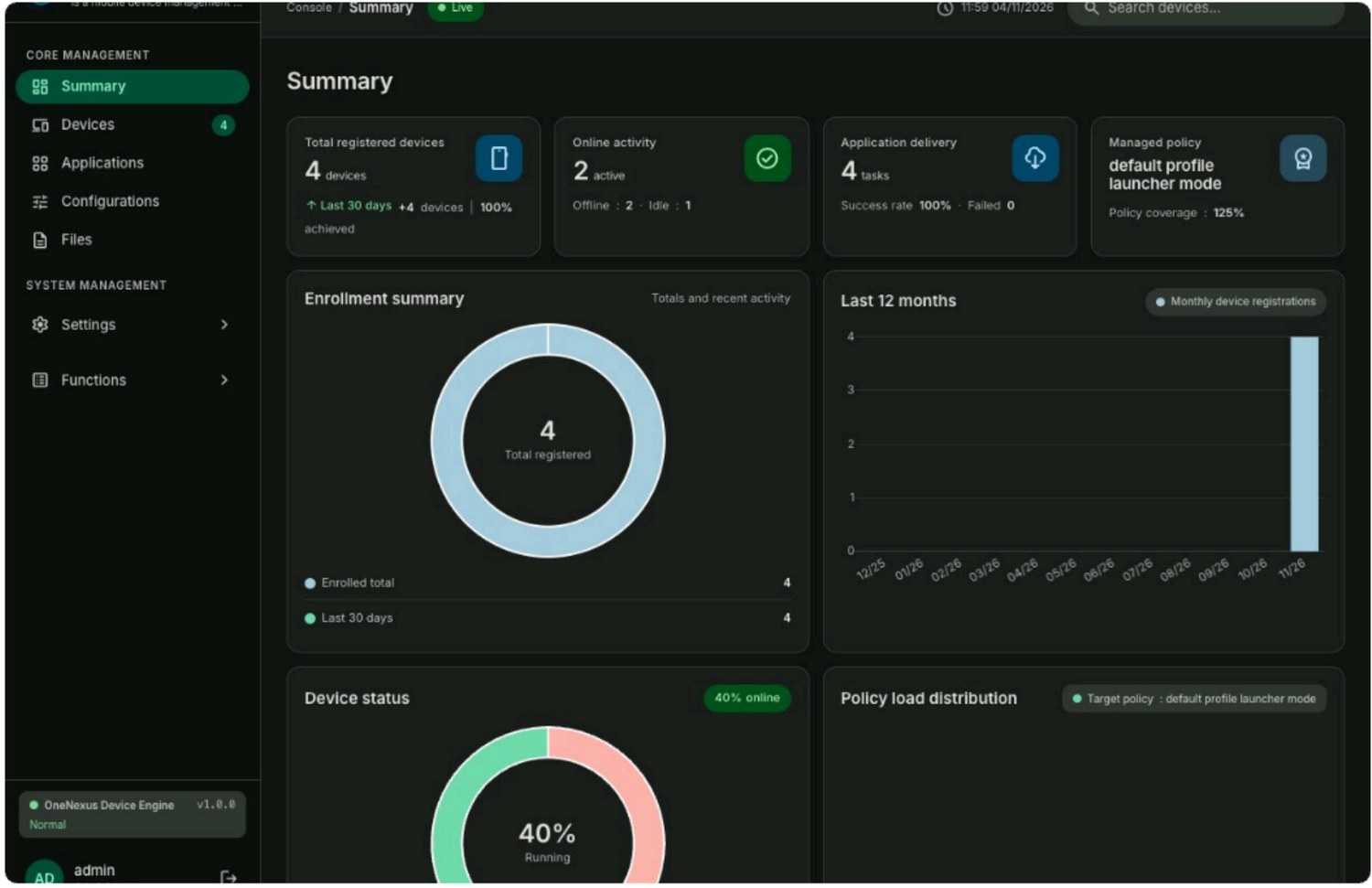
Dashboard: judge delivery health at a glance

The dashboard answers three questions so administrators do not have to page through devices one by one to understand the progress and quality of a rollout.

  • Volume — how many devices are enrolled, the online/offline split and the current enrollment distribution.
  • Progress — task coverage and completion rate, policy coverage progress.
  • Trend — device activity over the last 12 months, distribution of devices and applied policies.

The purpose is simple: replace page-by-page device checking with one page that answers “is the rollout done?”

Overview dashboard (live product)
Fig. 1 · Overview dashboard (live product): device totals, app distribution and online ratio, policy and exception summary

Console · Devices

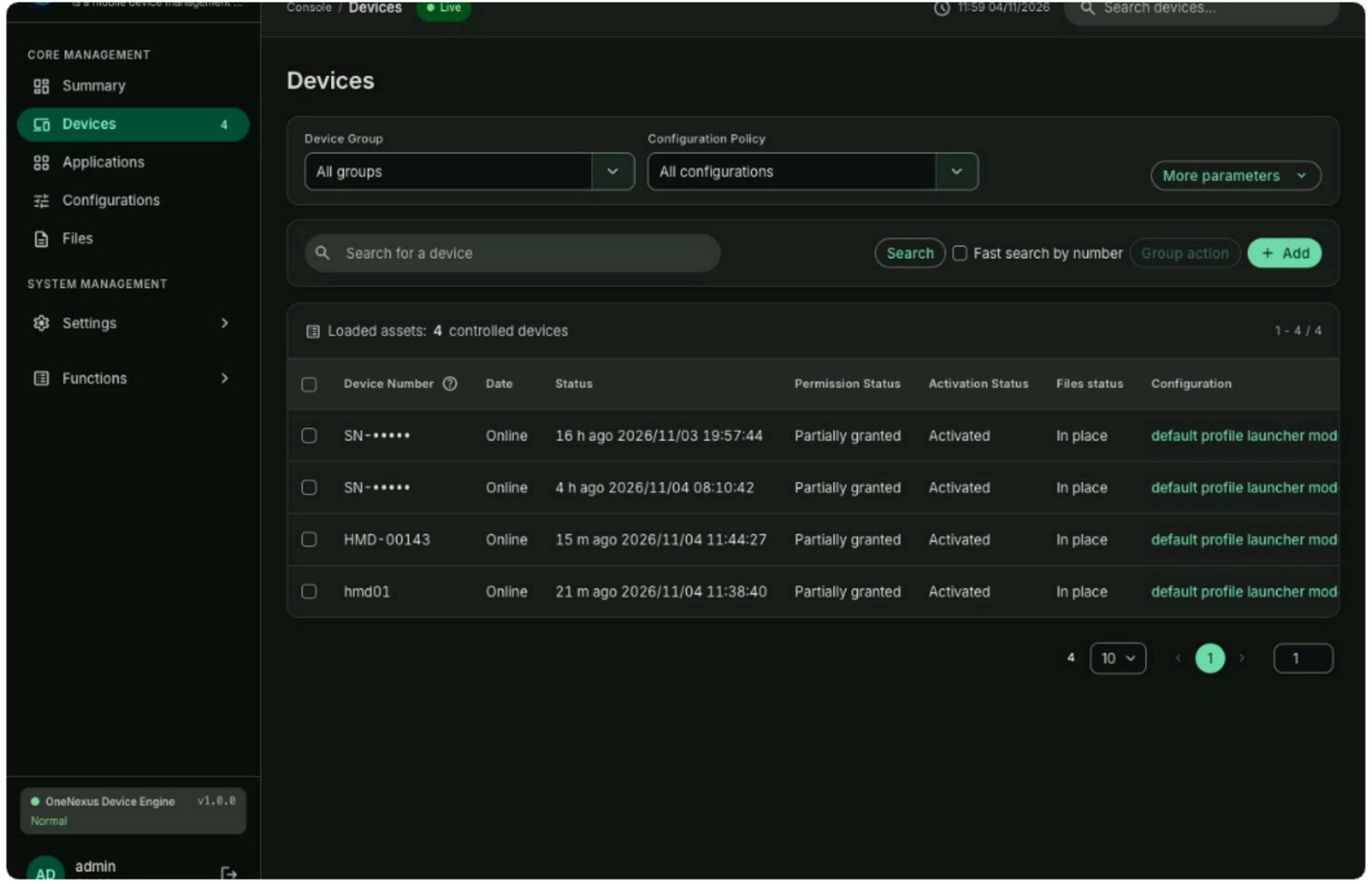
Inventory: from “enrolled” to “delivered”

Every row is a delivery status.

  • Multi-dimensional filters — search by device group, configuration, online state, install state or Android version.
  • Inline status — online state and last sync, applied configuration, permissions granted, activation and file delivery at a glance.
  • Enrollment options — create device IDs manually or generate an enrollment QR code; a configuration-level QR code can be reused for new devices of the same kind.
  • Bulk actions — assign a configuration or regroup a batch in one go; groups serve both as filters and as the scope an account may manage.
Device list (live product)
Fig. 2 · Device list (live product): filters, inline status and bulk action entry points
Whether apps and files actually landed, and when the device last synced, decides whether the device is truly productive.

Console · Applications

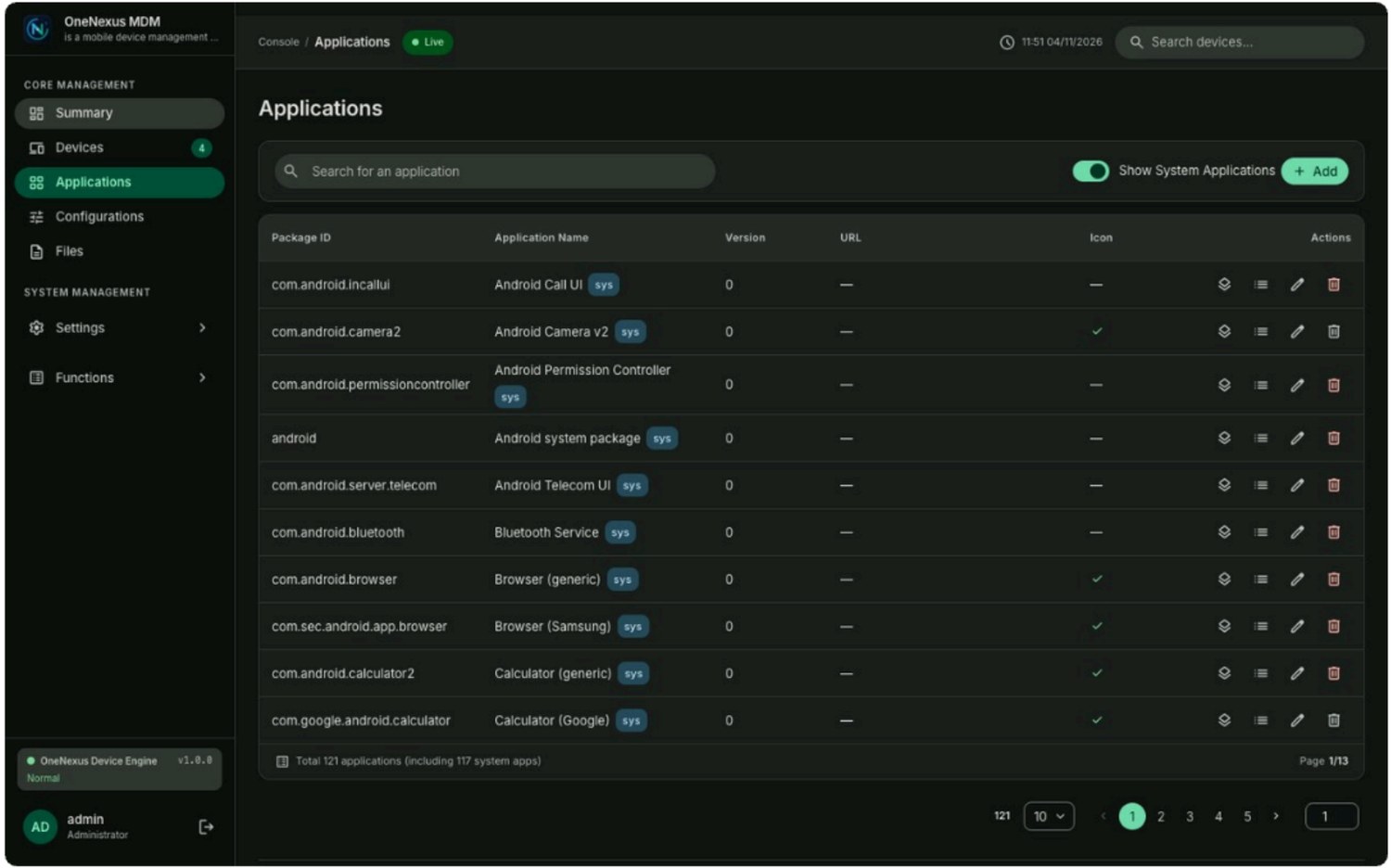
App centre: the full lifecycle of an APK

Upload, distribution and result reporting all close their loop here.

  • Upload and versions — maintain APK / XAPK versions centrally; version labels and upload history stay comparable.
  • Visibility by role and scope — define which apps an account or group can see, then push, download and install on demand.
  • Configuration binding — upload, enable and bind an app to configurations and device groups in one place before publishing.
  • Traceable failures — download failures, offline devices and failed silent installs are all recorded per device.
App centre (live product)
Fig. 3 · App management (live product): version list, source, install state and the “upload APK to device apps” entry

Console · Configurations

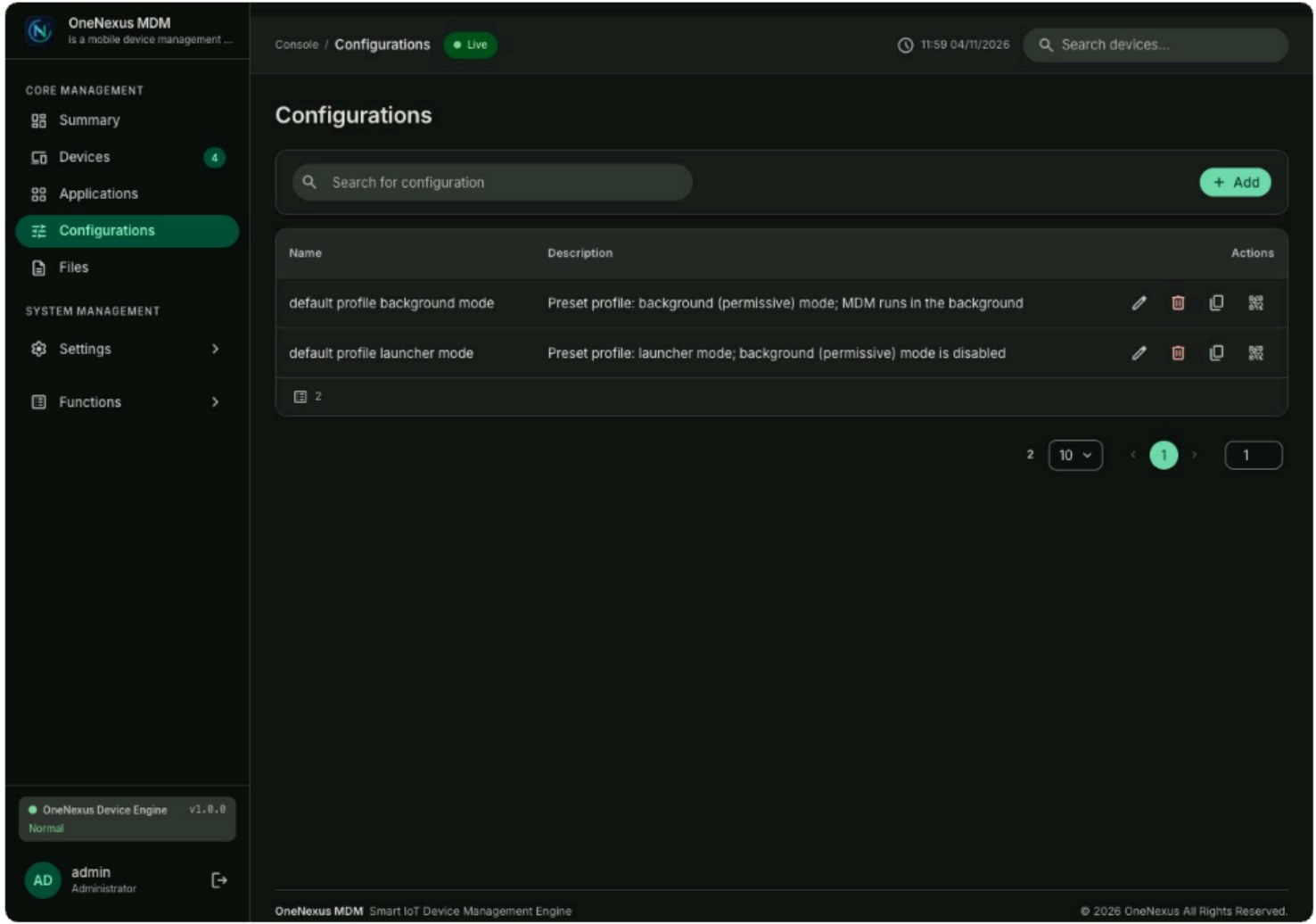
Configuration centre: one profile organises apps, launcher and rules

A configuration has five tabs that gather everything one rollout needs into a single profile:

  • General — sensitive app permissions, app access, push method, Wi-Fi management.
  • Launcher — wallpaper, background, label colour, icon size, home layout and shortcuts.
  • Apps — select and combine apps by function, set app parameters, rename entries.
  • MDM settings — USB and installation restrictions, kiosk mode, app and component control.
  • Files — remotely distributed files with notes and target paths, optimised per device profile.
Configuration centre (live product)
Fig. 4 · Configuration detail (live product): all settings packaged into one device specification
Configuration is saved as a spec, packaged by selection and takes effect on a single publish; whatever the device enforces is exactly the specification you defined.

Console · Files & Users

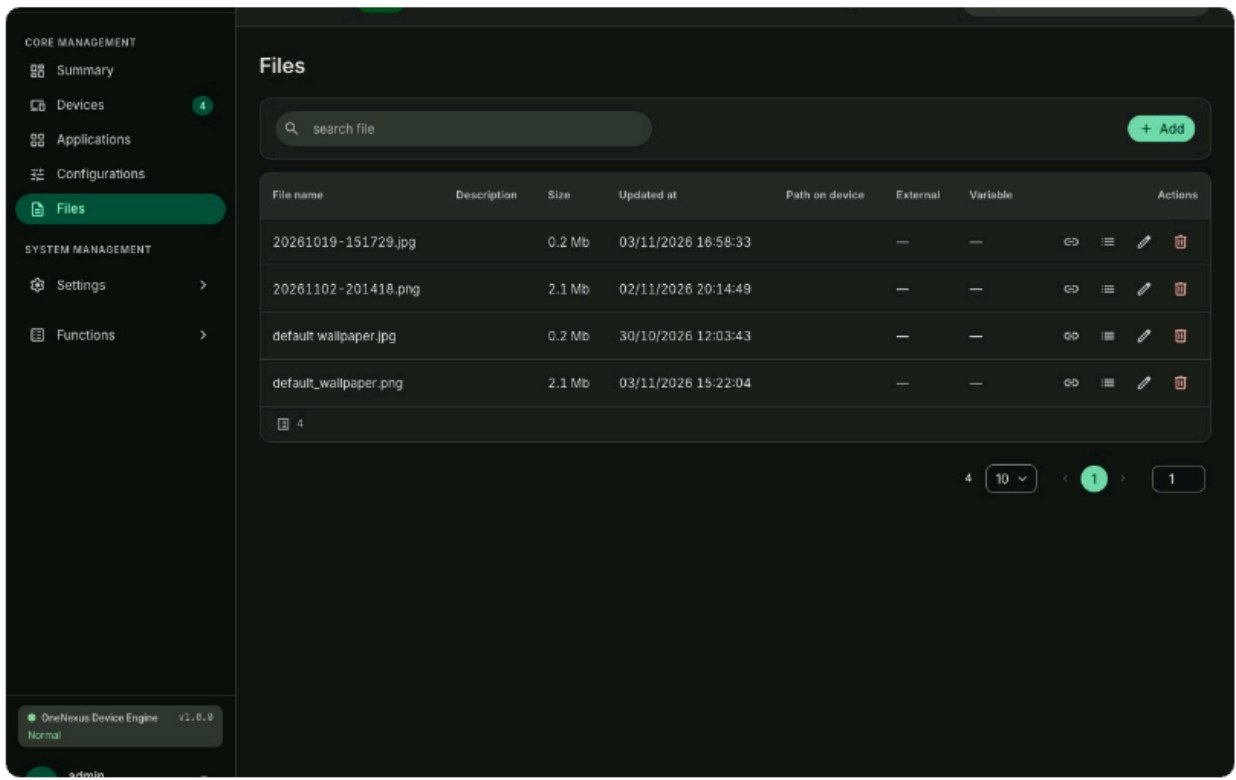
Files and permissions: the two remaining pieces of delivery

Files make sure the content is there; permissions make sure the right person manages the right devices.

File management (live product)
File management

Upload a file, bind it to a path on the device and let the console deliver it to the device folder — no more copying files device by device.

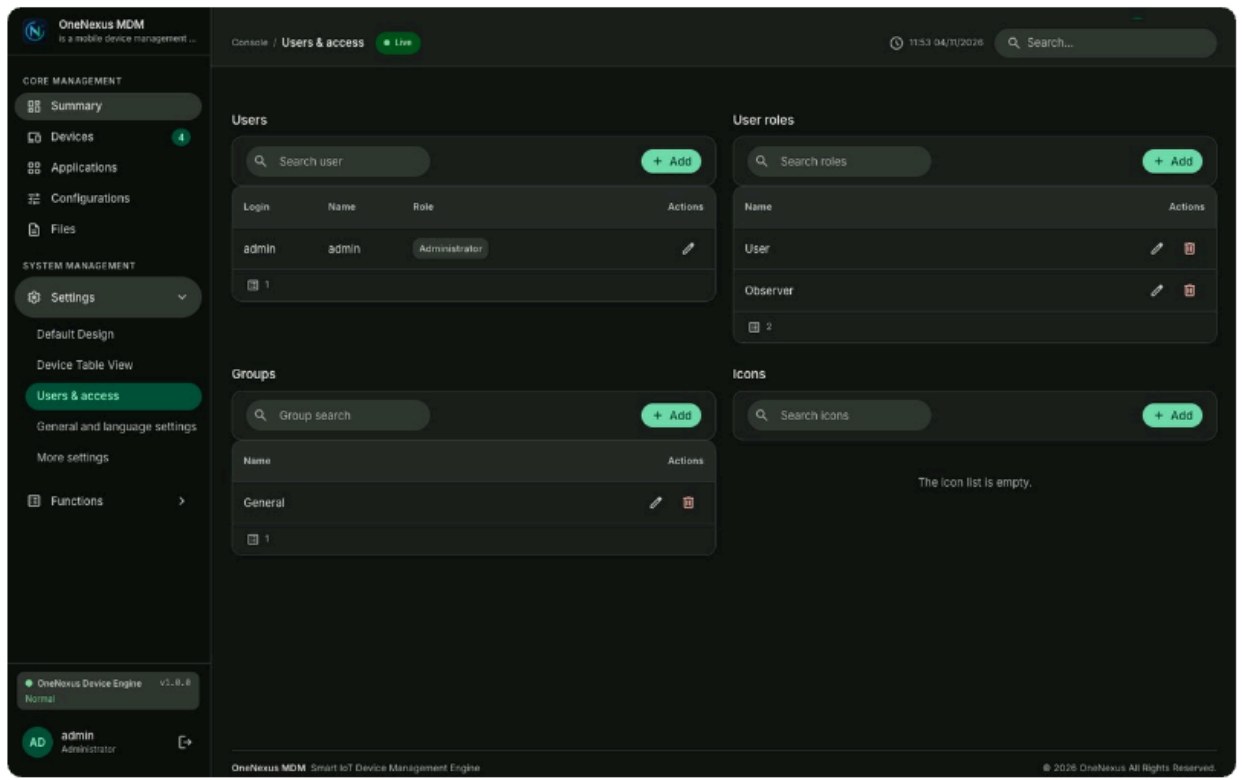
Users and permissions (live product)
Users and permissions: boundaries for teamwork

A three-layer structure of user, role and device group; accounts get only the device and configuration scope they need, and key actions are written to the audit log.

The lighter the admin work, the steadier the delivery

Five modules cover every day of a device's life, from enrollment to ongoing operations. Book a demo and see your own scenario in the real interface.

Business enquiries: bd@ihuatek.com